
By Stometa · Edited by Kelly · Last verified · 14 min read
Direct answer
A China phone number (+86) comes on a local SIM card, not on a data-only travel eSIM. Sort out mobile data first. If an app asks for a +86 number or a local SMS code, read the SIM options below. Treat a free SIM promotion as a bonus, not your arrival plan.
- Need mobile data?: The linked eSIM guide covers getting online. A data-only plan does not include a +86 number.
- Asked for a +86 code?: Read the airport and carrier-store SIM card options below. Check that the plan includes a local number and SMS.
- Before buying: Bring your passport and check that your phone supports the SIM you are buying.
- Free SIM claims: Ask the carrier about current offers, but plan to pay for a SIM.
Some links in this guide earn us a commission if you buy. See our affiliate policy.
A China phone number means a +86 mobile number on a Chinese SIM card. A travel eSIM won't give you one: the China plans we rechecked from Airalo, Holafly, and Nomad are data-only. You can get through a short trip without a +86 line. Stay longer and the apps start asking for a local SMS code, and that is what this guide sorts out.
Still need mobile data? That is a separate problem, covered in the eSIM guide. This page is only about the Chinese phone number (+86).
Do you actually need a +86 phone number?
Probably not on day one. But by day three, you will wish you had one.
Here is the honest split between what runs on your home mobile number (your HP, if you are reading from Singapore or Malaysia) and what wants a Chinese one:
What works WITHOUT a Chinese phone number
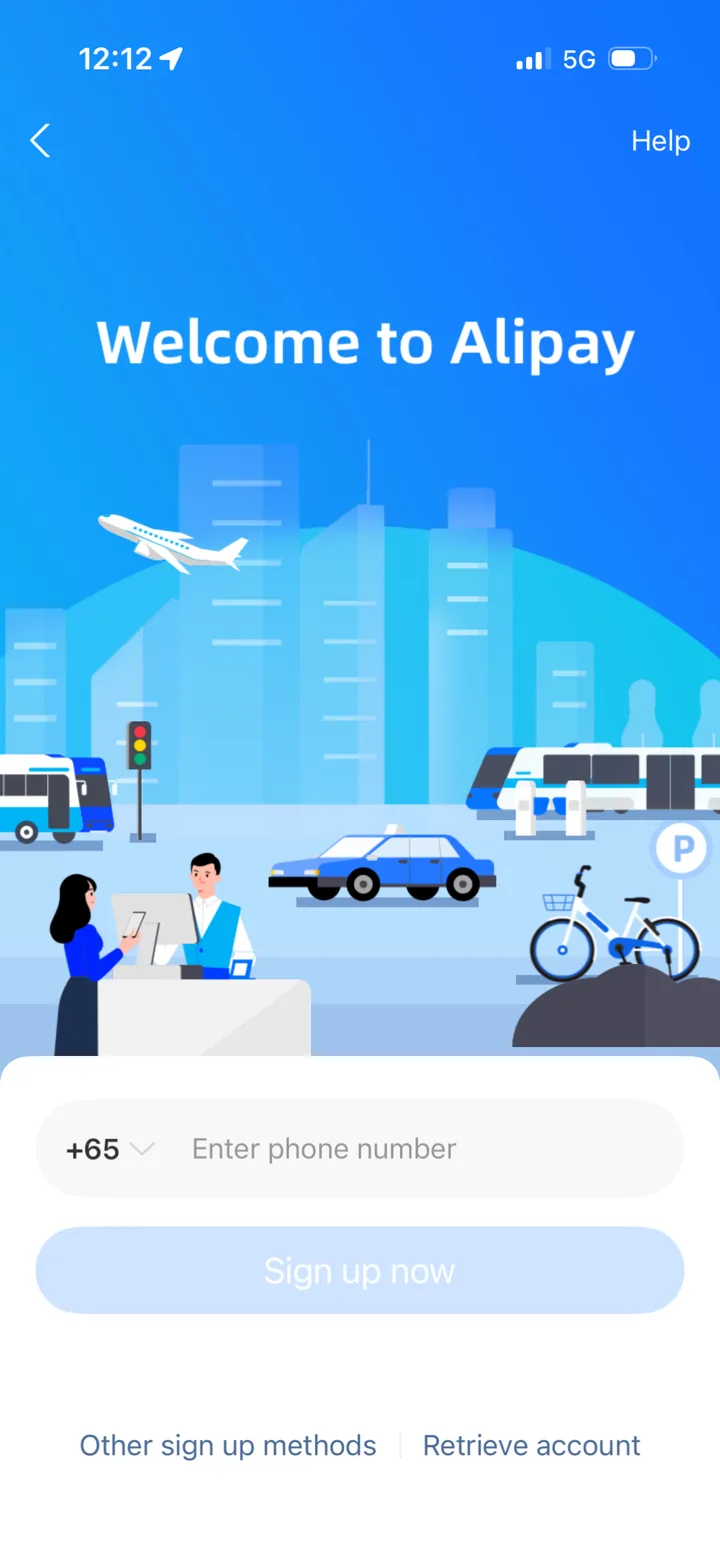
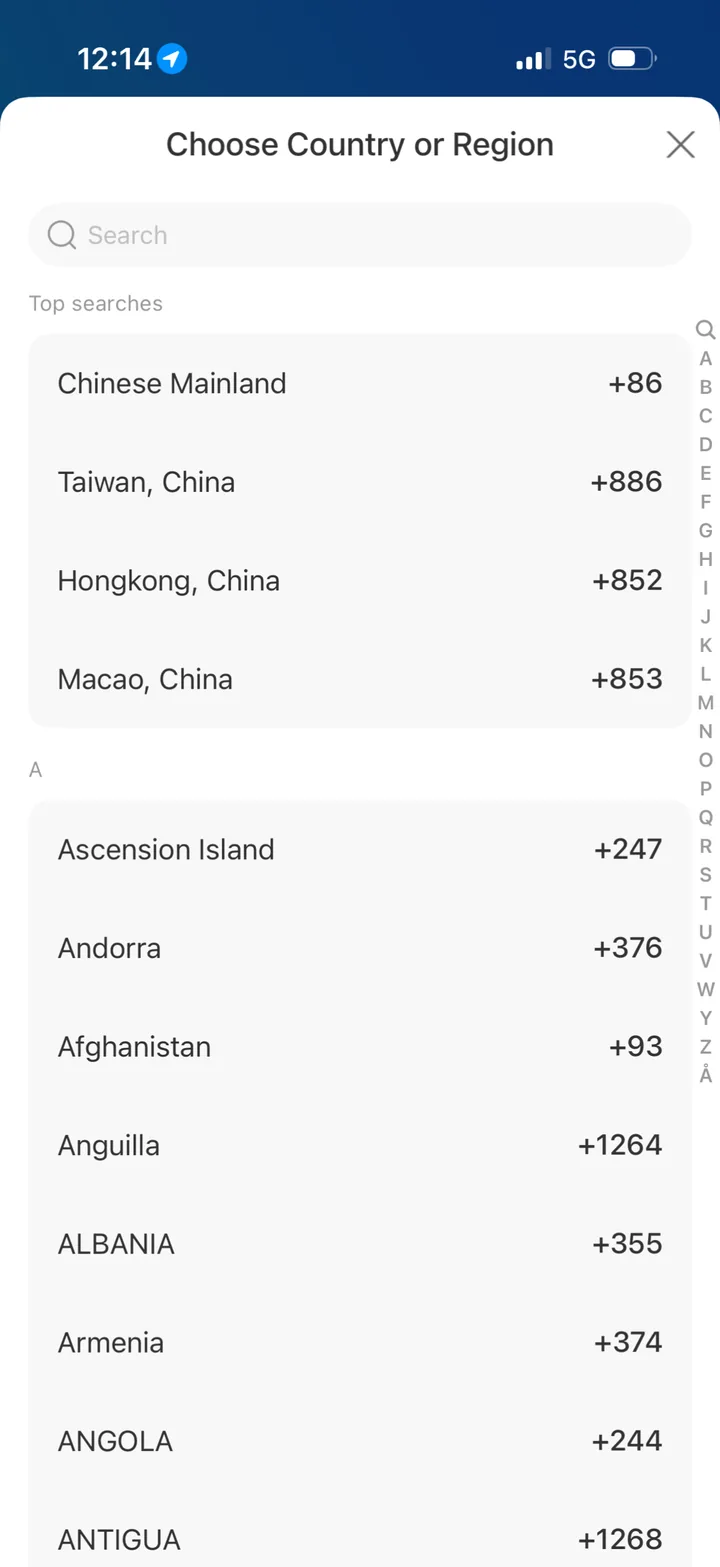
- Alipay — full setup and payments with foreign number (the sign-up screen lets you pick your own country code)
- Amap / Gaode — navigation works fine
- Didi — ride hailing works with foreign number (mostly)
- Google Maps via VPN — backup navigation
- WeChat messaging — basic chat works
- Hotel check-in — passport is enough
- Train tickets via Trip.com — no Chinese number needed
- 12306's English site — registers a foreign passport with an email address and never asks for a phone number (a reader, John, corrected me on this in the comments; the Chinese-language site is the one that wants a +86)
What gets much easier WITH a Chinese phone number
- Meituan (food delivery) — the standalone app now takes a foreign number, but you verify by sending it an international text, and it then asks for real-name verification (see Option 4)
- Dianping (restaurant reviews/bookings) — browsing works, but reviews, queues, and some coupons can hit account-verification weirdness
- Bike-share apps (Hellobike, Meituan Bikes) — need +86 for deposit and unlock
- WeChat Pay full features — bank card linking and some transfers need +86
- Robot taxis — PonyPilot+ registration is much smoother with a local number
- Some metro apps — city-specific transit apps sometimes require +86 for QR ticket
- Luckin Coffee app — ordering ahead requires Chinese number (but you can scan in-store)
The short version: if you are here for 1-2 days and sticking to tourist basics, skip it. If you are staying 3+ days and want food delivery, bike sharing, robot taxis, or anything beyond the foreigner-friendly apps, get a SIM. Once your +86 is live, go install the apps that actually need it — Meituan, Dianping, and bike-sharing stop fighting you once the number is local.
Skipping the number still leaves you needing mobile data. For that I use Nomad eSIM: in my Shenzhen test Google and ChatGPT worked on it without a VPN. It is data-only, so it will not give you a +86 number. The eSIM guide compares it with Airalo and Holafly.
Nomad eSIM
Your data line, with or without a local SIM: Google and ChatGPT worked in Shenzhen without a VPN.
From $4 / 1GB
See China eSIM plans on Nomad eSIMOption 1: Buy a China SIM card at the airport (easiest)
Most major airports have SIM counters right in the arrivals hall. Shenzhen Bao'an Airport has them. So do Beijing, Shanghai, and Guangzhou.

This is the China SIM card with a number you are after: a real +86 line for calls and SMS, not another data-only plan. Still check that the package you pick includes SMS before you pay.
What to expect:
- Allow time for the counter to register and activate the SIM
- Bring your passport (mandatory — China requires real-name registration for all SIM cards)
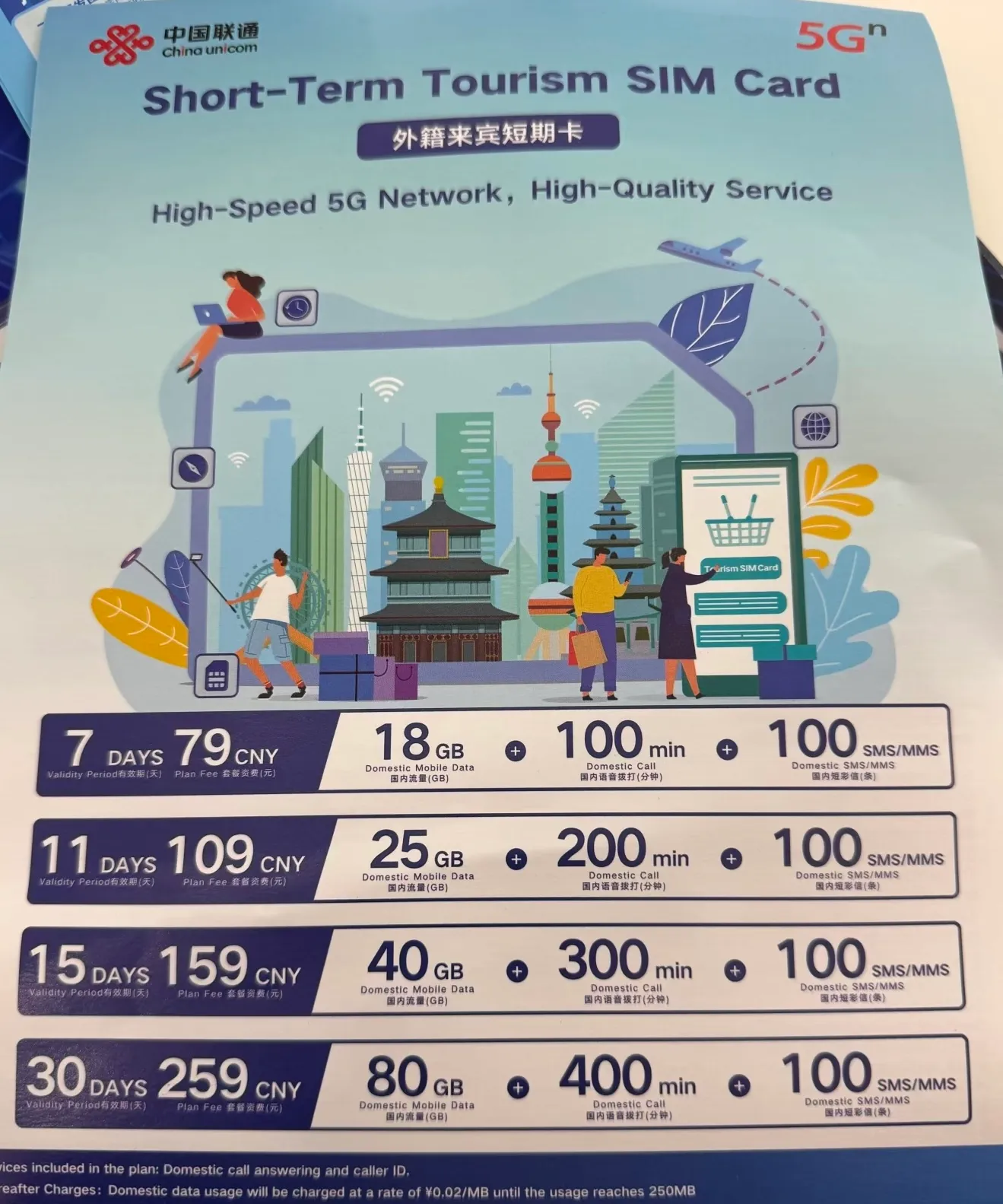
Our cover photo is a China Unicom tourist-SIM leaflet: 7 days for 79 CNY (18 GB, 100 min), 11 days for 109 CNY (25 GB, 200 min), 15 days for 159 CNY (40 GB, 300 min) and 30 days for 259 CNY (80 GB, 400 min), each with 100 domestic texts. We don't know when or where it was handed out, so treat it as a ballpark and ask the counter for today's plan. Confirm 5G and hotspot use, and send your new number a test SMS before you leave. Domestic eSIM activation requires a supported mainland-market phone and an in-person carrier-store identity check.
Payment: Cash (RMB) or Alipay/WeChat Pay if you already have it set up. Some counters accept foreign cards. Bring cash as backup.
Option 2: Ask about the free China Mobile SIM card, but don't count on it
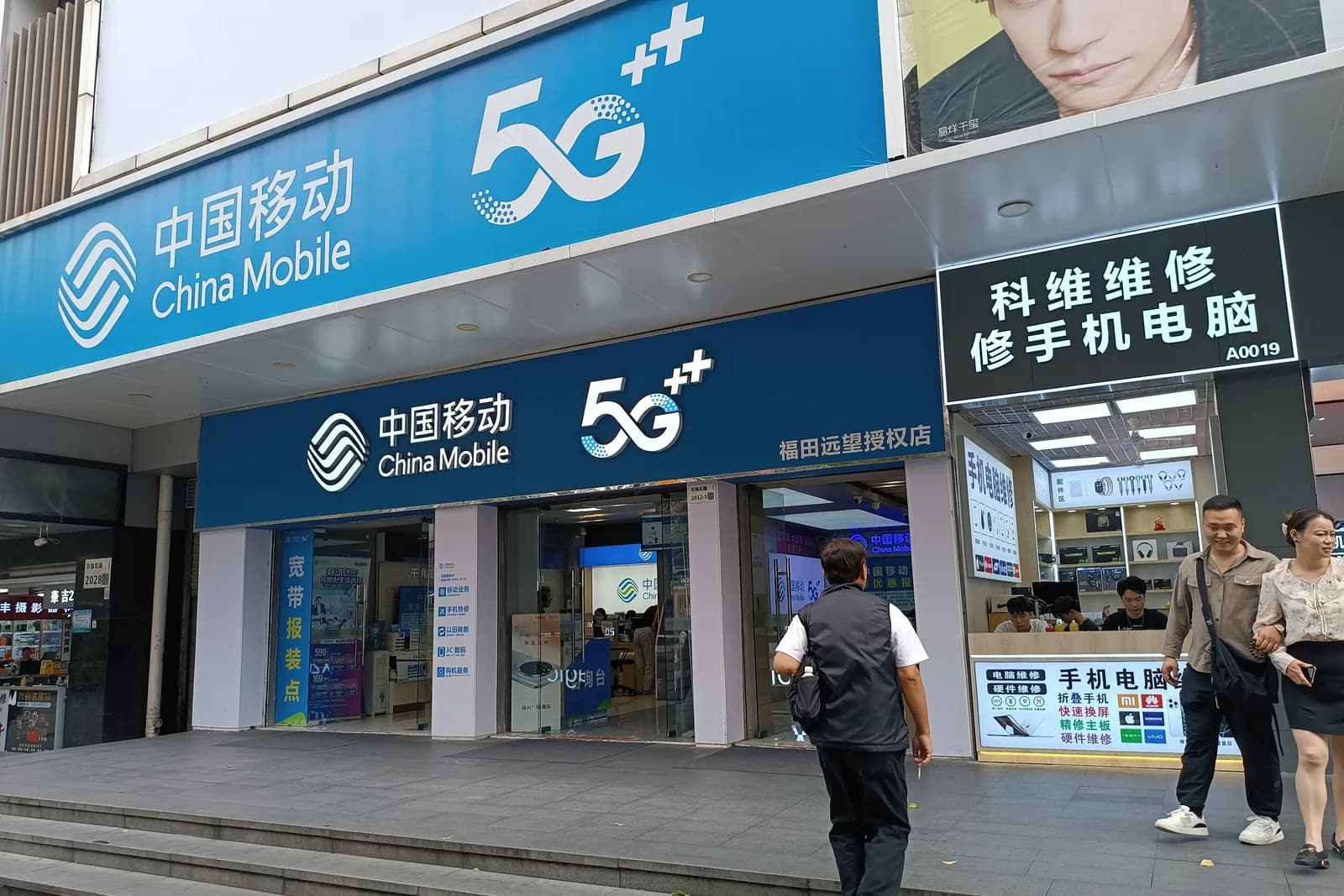
The free tourist SIM promotion mentioned by some travelers has no current carrier offer we can verify. If you are already at a China Mobile store, ask whether it exists there. Budget for a paid plan and check its data, calls and SMS before paying.
Option 3: Get a SIM card with a +86 number at a city telecom store
Any China Mobile, China Unicom, or China Telecom store can sell you a prepaid SIM card. There are dozens across Shenzhen.
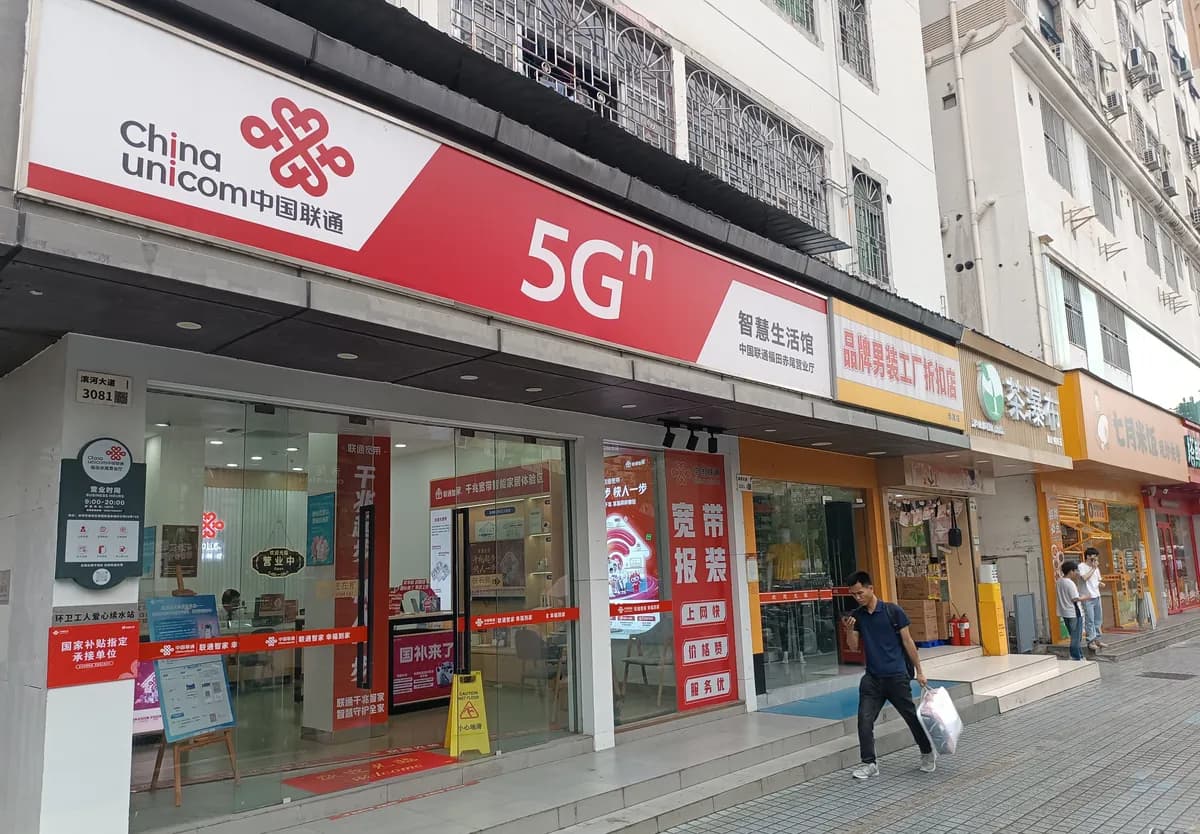
The process:
- Walk in with your passport
- Tell them you want a prepaid SIM card (预付费手机卡 — yù fù fèi shǒu jī kǎ)
- Choose a plan (they will show you options)
- They scan your passport and take a photo of you holding it
- Real-name registration is completed on the spot
- Before leaving, ask staff to show you the +86 number and send it a test SMS
Ask the store for its current price.
The challenge: Most staff at neighborhood stores speak minimal English. Use your phone's translation app, or show them this:
我是外国游客,想买一张预付费手机卡,带流量和中国手机号。请问有什么套餐? (I am a foreign tourist. I want to buy a prepaid SIM card with data and a Chinese number. What packages do you have?)
China Mobile, China Unicom or China Telecom SIM card?
- China Unicom SIM card — best English support, widest phone compatibility, good for iPhones
- China Mobile SIM card — largest network, best rural coverage (matters if you leave Shenzhen)
- China Telecom SIM card — ask staff to check your exact phone model, calls and SMS before you pay
For most Shenzhen visitors, start with China Unicom or China Mobile and have staff test your phone on the chosen plan.
A China eSIM with a phone number: the 2026 carrier exception (probably not for your phone)
China's three carriers do offer smartphone eSIM now. This is a real local line — calls, SMS, data, and a +86 number — not a data-only travel plan.
The catch is the phone. Apple lists the supported mainland-market iPhone models; check your model number against that list before you go. Other models, including iPhones bought overseas, cannot install a mainland carrier profile. Activation also happens at a carrier store with government ID or a passport.
So yes, a Chinese eSIM with a phone number exists. No, it is not the shortcut most tourists are searching for. Unless you own a supported mainland-market phone, use a physical SIM in a compatible phone; the two-phone option below covers phones without a SIM tray.
Option 4: Get by without a mobile number in China (workarounds)
If you decide the hassle is not worth it, here are the workarounds for the apps that "require" a Chinese number:
Meituan food delivery — The standalone Meituan app takes a foreign number now. I tested it on October 19, 2026 with my US +1 number: pick your country code on the login screen and tap Get SMS code. Meituan doesn't text you a code. Instead it shows a short code and a Chinese number, and you send that code by SMS from your foreign number (your home carrier charges for it, so keep roaming on or your home SIM in the phone). After that I was logged in, with a "Go Real Name" prompt at the top of the account page.
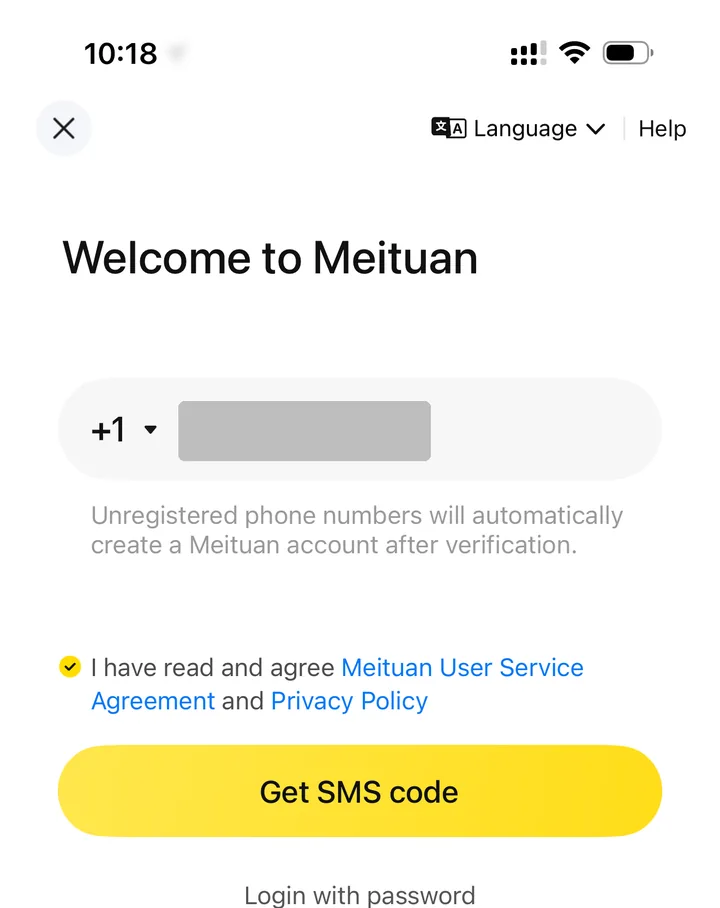
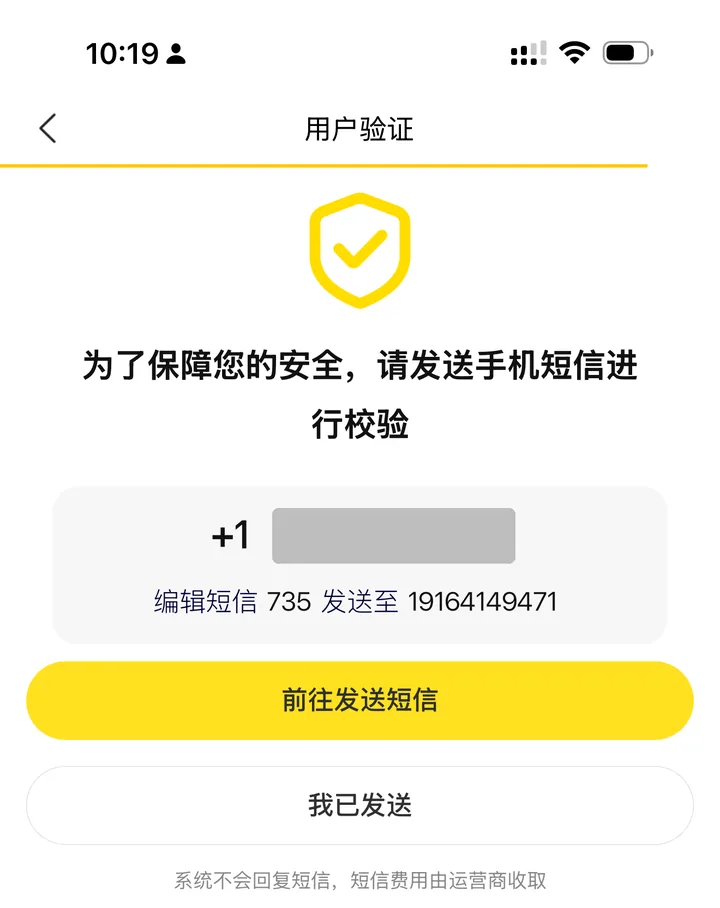
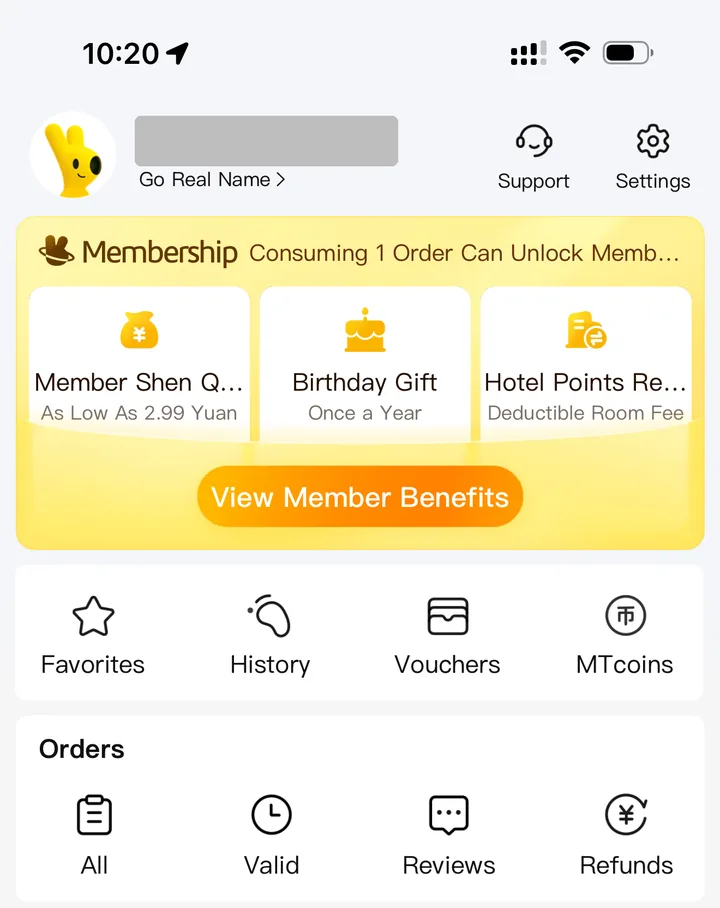
That proves you can get in. I haven't checked whether you can order, or pay with a foreign card, before or after that real-name step (实名), so don't plan dinner around it yet.
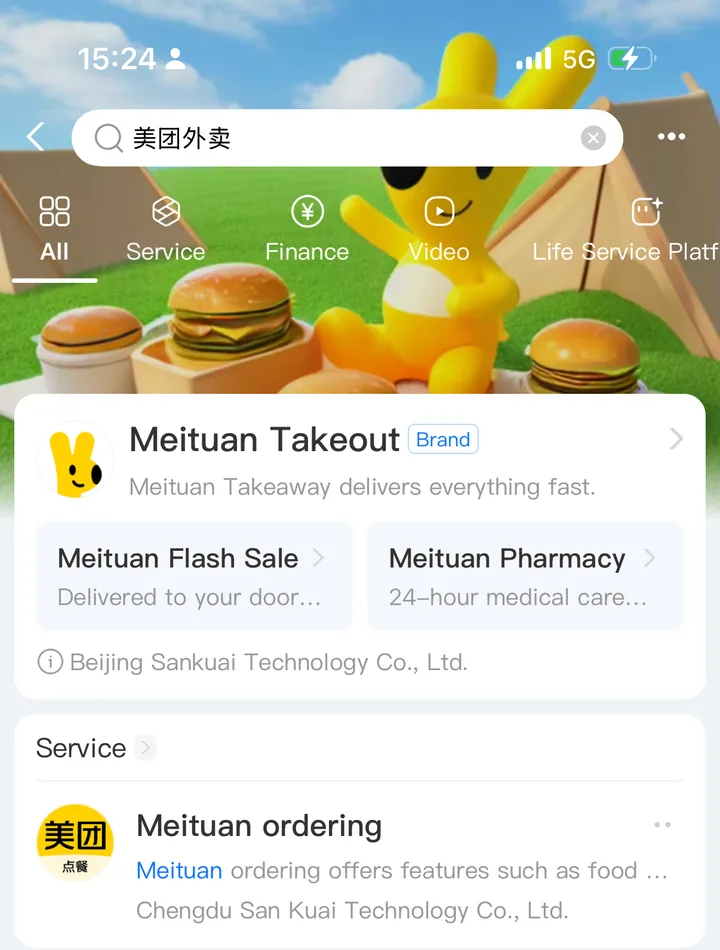
The fallback is the mini-program. Search "美团外卖" inside Alipay and Meituan Takeout is the top result. The interface is in Chinese, so use translation screenshots and ask your hotel to type the address.
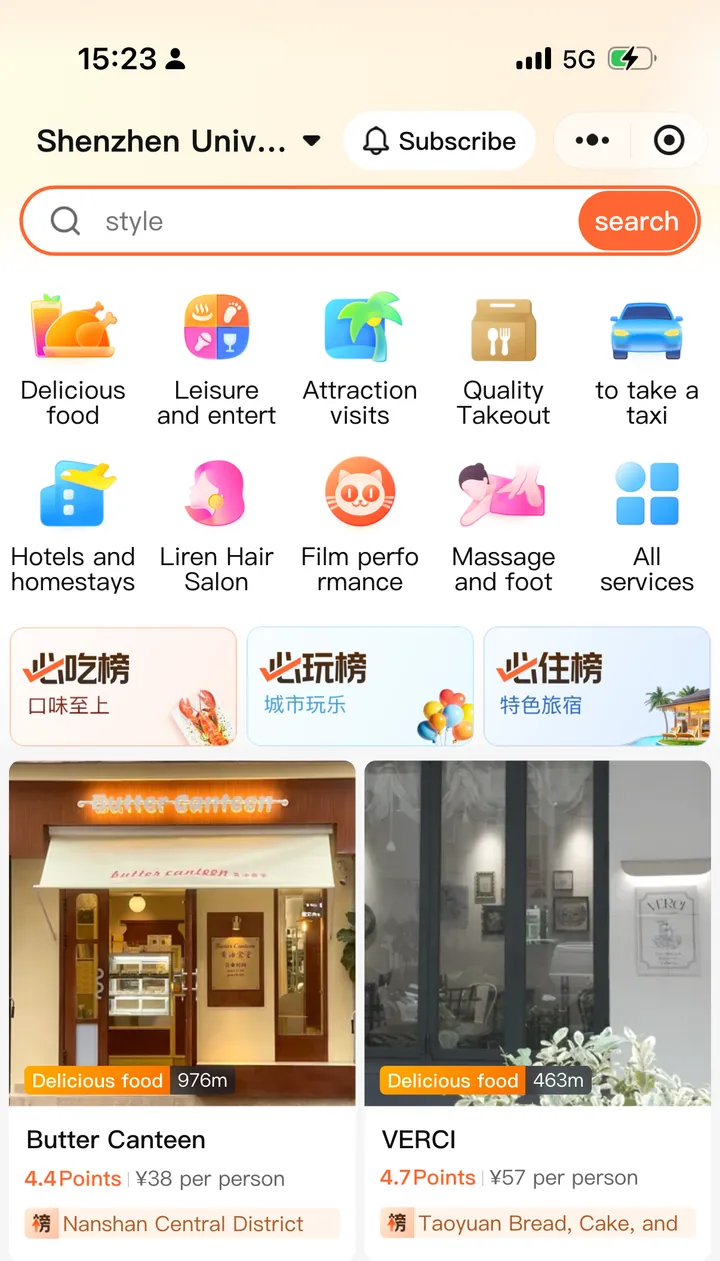
Dianping restaurant reviews — Open the Dianping mini-program. Without logging in, it showed restaurant ratings, price per person, and photos for the area around me. You cannot make reservations without a Chinese number, but that is enough to decide where to walk in.
Bike sharing — Use Meituan Bikes through the Alipay mini-program. Some cities allow Alipay-based unlock without a separate app account.
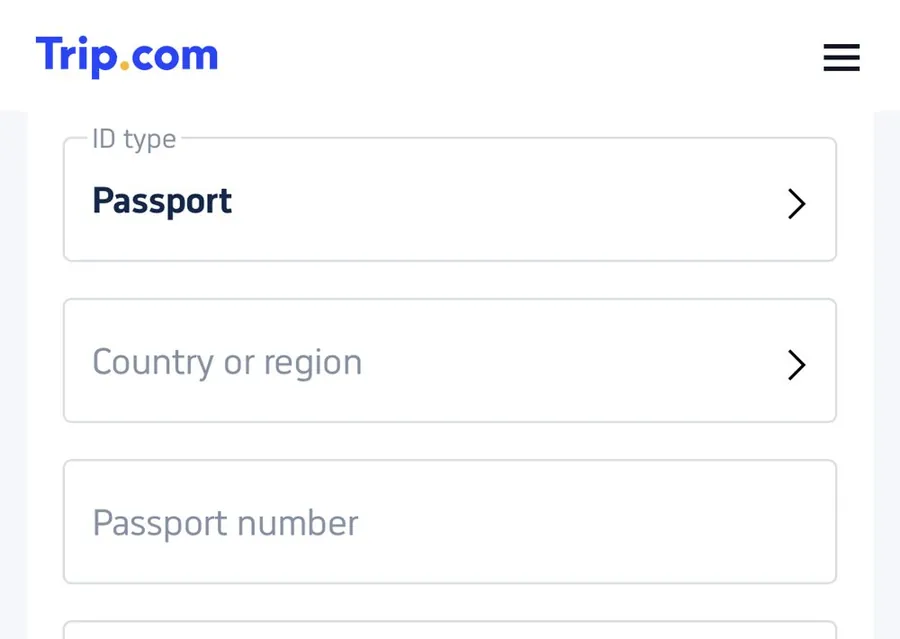
Train tickets — Trip.com accepts a passport without a Chinese phone number. Check the total price before paying. 12306's English registration page takes a foreign passport and an email address, no phone number at all. I had this wrong until a reader pointed it out in the comments; thank you, John.
Luckin Coffee — Walk in and scan the counter QR code to order. No app account needed.

The pattern: Alipay mini-programs bypass many Chinese-number requirements. If you have Alipay set up with a foreign number, you can access a surprising number of services through it.
The dual-SIM strategy (recommended for 3+ day stays)
For this setup, your phone must support an active travel eSIM alongside a physical Chinese SIM. Dual eSIM support alone is not enough:
SIM slot 1 (or eSIM): Your travel eSIM (Nomad eSIM, Airalo, Holafly) — handles data, bypasses the Great Firewall, keeps Google/WhatsApp/Instagram working
SIM slot 2 (physical): Chinese SIM card — gives you the +86 number for local app registrations, backup data on Chinese network
Configure your phone:
- Set the eSIM as your primary data connection
- Set the Chinese SIM for calls and SMS
- When you need to verify a Chinese number, switch briefly to the Chinese SIM for the SMS
This way you get unrestricted internet (via eSIM) plus a Chinese number (via local SIM) without choosing between them.
Why not use the local SIM for data too? It runs on China's network, so Google, WhatsApp and Instagram stay blocked unless you also run a VPN. A travel eSIM sends your data out through a roaming partner instead. In my Shenzhen test, Nomad's China plan kept Google and ChatGPT working with no VPN, which is why it is the one I picked for the data slot.
No SIM tray? Use a second phone for the +86 line
US iPhone 14 and later models have no physical SIM tray. You can keep the travel eSIM and apps on your main phone, and put the Chinese SIM in a separate unlocked phone. Read the verification text on that second phone and type the code into the app on your main phone. This works for SMS codes; an app may still require identity checks or other verification.
Before buying a cheap basic phone, ask the carrier to confirm that the exact model supports its network, voice calls and SMS. Test an incoming call and a verification text in the shop. For food delivery, enter the +86 number as the order’s contact number and keep the second phone on and nearby. We have not tested Meituan’s rider-call routing with this setup; check the contact details and in-app messages rather than assuming every call will reach the second phone.
Nomad eSIM
Your data line, with or without a local SIM: Google and ChatGPT worked in Shenzhen without a VPN.
From $4 / 1GB
See China eSIM plans on Nomad eSIMFor the data slot, Klook's China eSIM is an alternative to compare with Nomad eSIM or Airalo, not a replacement for the local SIM. The package checked on October 10, 2026 was data-only: it does not receive +86 verification texts. Read the issued voucher before activating late at night, because the plan counts days on Taiwan time. The package and page summary also disagreed on refunds; don't assume an unused purchase is automatically refundable.
How to top up your Chinese SIM
Your prepaid balance will run out. Here is how to add credit:
- Alipay — open Alipay, search "充值" (top up), enter your +86 number, choose an amount, pay. On the Guangdong Mobile page I checked in October 2026, amounts started at 50 RMB (50/100/200/300/500)
- WeChat — same process in WeChat Pay
- Telecom store — walk in, show your number, pay cash
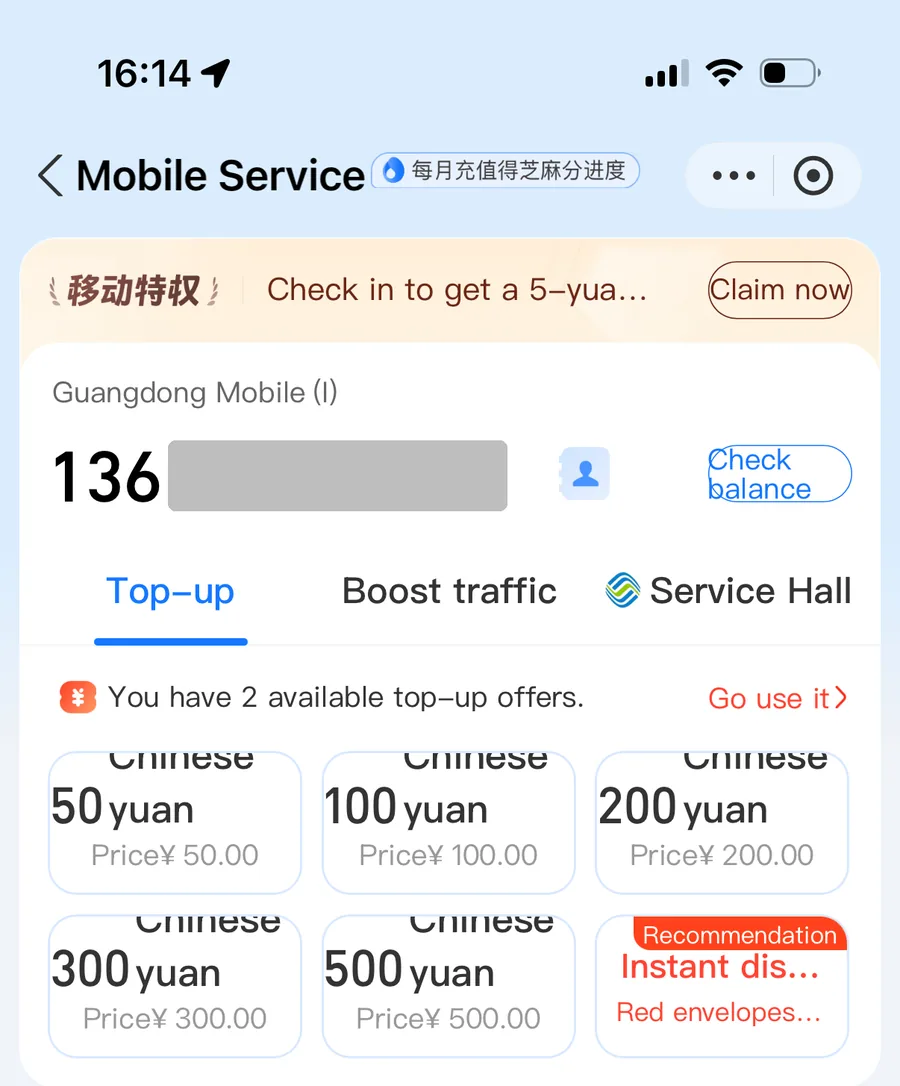
Alipay top-up is the easiest if you already have it set up. Takes 30 seconds and credit arrives instantly.
FAQ
Can I keep using my Chinese SIM after I leave China?
No. Tourist SIM cards only work on Chinese networks inside China. Once you leave, the SIM goes dormant. If you return to China later, the SIM may have been deactivated — check with the carrier or just buy a new one.
Will a Chinese SIM card work with my phone?
You need an unlocked phone with a physical SIM tray and support for your chosen carrier’s network, calls and SMS. If your main phone only takes eSIM, use the second-phone setup above. Have the carrier check your exact model before buying a SIM.
Can I receive international calls on a Chinese SIM?
Yes, but it costs extra. Tourist prepaid plans include some call minutes, but international incoming calls may incur charges. Tell people to reach you on WeChat or WhatsApp instead.
Do I need to turn off my Chinese SIM when using my VPN?
No. Your VPN runs over your data connection (eSIM or WiFi). The Chinese SIM can stay active for calls and SMS. However, if you are using the Chinese SIM for data and your VPN is on, some Chinese apps like Alipay may detect the VPN and act up. The dual-SIM strategy above avoids this — use the eSIM for data (with VPN) and the Chinese SIM only for calls/SMS/verification.
Change log and review scheduleExpand
Facts reviewed
Content updated
First published
Next review due
Aug 13, 2026
Image credits
- China Mobile SIM card counter in the arrivals hall at Beijing Capital Airport, with a China Mobile SIM card sign on the desk: taiyofj, Flickr, CC BY 2.0.
- China Mobile 5G storefront on Huaqiang North Road in Futian, Shenzhen: Nnao KAIMUE MAUDN, Wikimedia Commons, CC0.
- China Unicom 5G store front on Binhe Boulevard in Futian, Shenzhen, where you can buy a prepaid SIM card with a +86 number: Haxyatamngu Luuo, Wikimedia Commons, CC0.


Did this actually work for you?