
By Stometa · Last verified · 10 min read
Direct answer
Most Shenzhen travel problems fall into four groups: payment, connection, directions or documents. Keep a saved Chinese address and a backup payment method. For a medical emergency call 120; for a lost passport, contact police and your consulate.
- Payment fix: If a payment fails while the VPN is connected, disconnect it and retry once. Then check the error, bank and account verification or use your backup payment method.
- VPN down: Switch servers (try Japan instead of Hong Kong), change protocol to OpenVPN TCP, or switch between WiFi and mobile data.
- Lost without maps: Save your hotel name and address in Chinese before leaving. Show the saved address if your map app cannot connect.
- Emergency numbers: Police 110, ambulance 120, fire 119. Give your exact location and ask someone nearby to help explain it if needed.
Something will break. Here is the fix.
Every trip has its Shenzhen travel problems, and they arrive at the worst moment. Your payment app freezes at a street food stall with a queue behind you. Your VPN drops halfway through an important message. You end up in a 城中村 alley with no signal and no idea which way the metro is.
This page is the emergency manual. Bookmark it now, while everything still works.
Find your symptom below and follow the steps in order. Most of these clear up in under two minutes once you know what to do.
Payment failed or Alipay won't scan
Read the error first. If your VPN is connected, disconnect it and retry once. If the payment still fails, check the card, account verification and your bank's message instead of repeating the same attempt.
Still stuck? There are five more specific failure scenarios — merchant code errors, card declines, the verification pending loop, spending limits, and emergency fallbacks.
Open the full Alipay fix guide
That page covers every error state and what to do about each one. Save it before you need it.
VPN stopped working
Your VPN will drop at some point. The Great Firewall changes all the time. Don't panic — work through these in order.
1. Switch server
If Hong Kong won't connect, try Japan (Tokyo) or Singapore. Judge by the connection you actually get; the location alone does not guarantee a working server.
2. Change protocol
In your VPN settings, switch from automatic to OpenVPN TCP — it is the most stable protocol in China. If the app has a stealth or obfuscation mode, turn it on. The default "smart" mode is often not smart enough for the firewall.
3. Switch networks
Go from WiFi to mobile data, or the other way round. Hotel WiFi and carrier 4G/5G treat VPN traffic differently, and sometimes one is blocked outright while the other works fine. (Surfshark in particular barely functions on Chinese mobile data.)
4. Restart everything
Airplane mode on, wait five seconds, off again. Then restart the VPN app and reconnect. The firewall sometimes kills a live connection but lets a fresh one through.
5. Use your backup VPN
This is exactly why every guide tells you to install two VPNs before you land. If your main one is dead, switch to the backup. Don't burn half an hour troubleshooting one VPN when another is already on your phone.
6. Emergency fallback: Baidu Translate
If both VPNs are down and you need to talk to someone, Baidu Translate (百度翻译) works with no VPN at all. It is less polished than Google Translate, but text and voice translation are good enough to get you through a conversation.
7. Emergency fallback: Apple Maps
Apple Maps works without a VPN in China. Its Shenzhen metro coverage is decent and it will get you to the major landmarks. Not perfect — but it works when Google Maps is completely dead.
8. Another connection for remote workers
If both VPNs are down and you need work tools urgently, try a different WiFi network. Hotel business centres, coworking spaces and some coffee shops route traffic differently, and a VPN sometimes connects there when your room WiFi won't. Some people have had luck tethering from a foreign eSIM that routes data outside China entirely, bypassing the firewall at the carrier level.
Lost, and Google Maps won't load
Google Maps is blocked in China. You knew that, but it feels different standing at a six-way intersection in Nanshan with nothing loading.
If you are still planning, set up your apps with the full China maps setup guide now. The steps below are the emergency version, for when you are already outside and lost.
1. Apple Maps
Works without a VPN, gives transit directions on the Shenzhen metro and shows where you are. Less detailed than Google Maps, but it works. On an iPhone, this is your instant fallback.
2. Amap (高德地图)
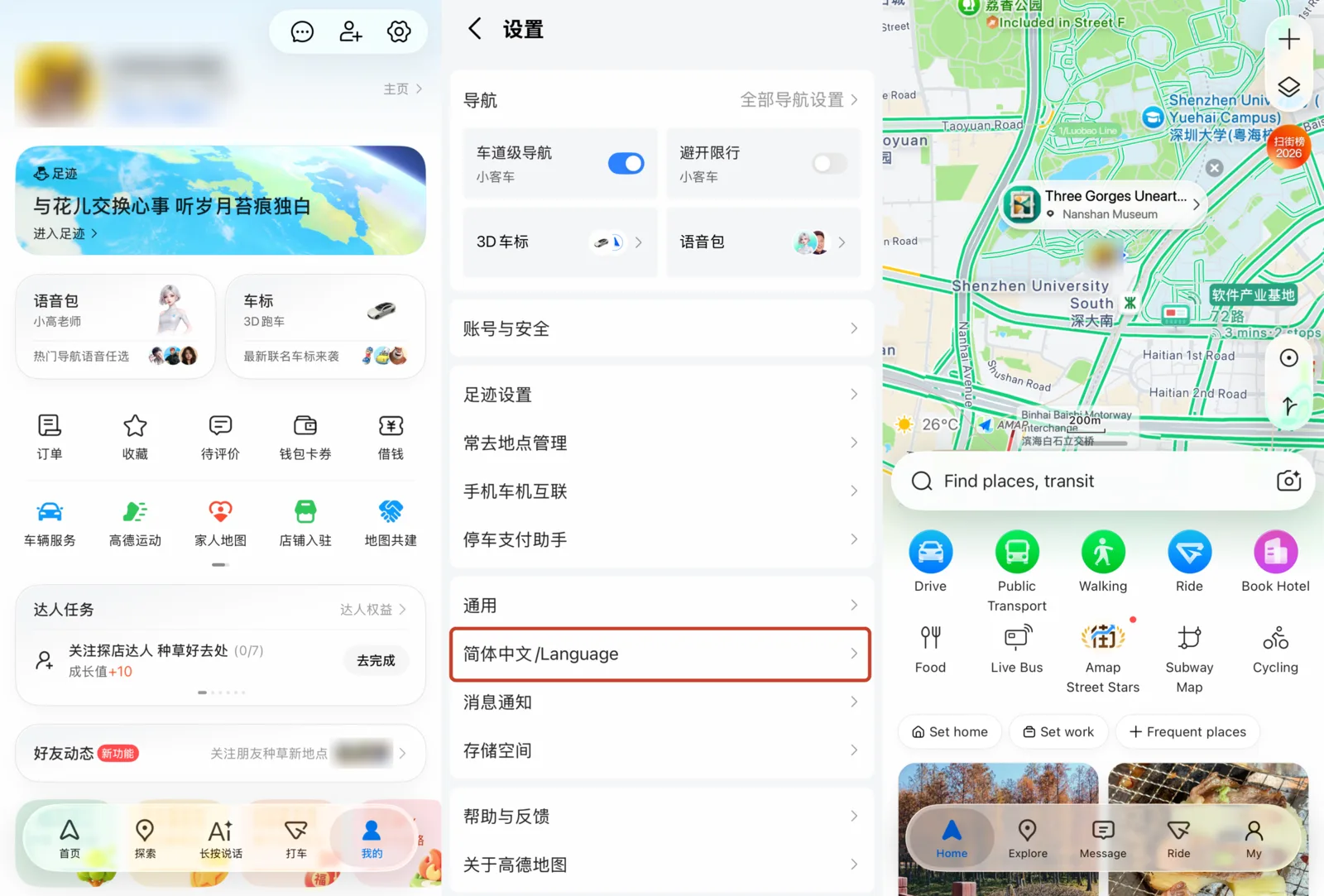
The local standard — every taxi driver and delivery rider in Shenzhen uses it. The interface opens in Chinese, but there is an English mode tucked away in settings (tap the profile icon, then look for language settings). The best transit directions in the city, full stop.
3. Screenshot your hotel address
Do this every morning before you head out: screenshot your hotel's name and address in Chinese characters. If every app has failed, show that screenshot to any taxi driver and they will take you there. (Your hotel's WeChat mini-program or the booking confirmation usually has the Chinese name and address.)
4. Find a metro station
Every Shenzhen metro station has bilingual signs in Chinese and English. Reach any metro entrance and you can navigate from there; most stations post area maps near the exits. The metro covers the whole city centre.
5. Use Didi through Alipay
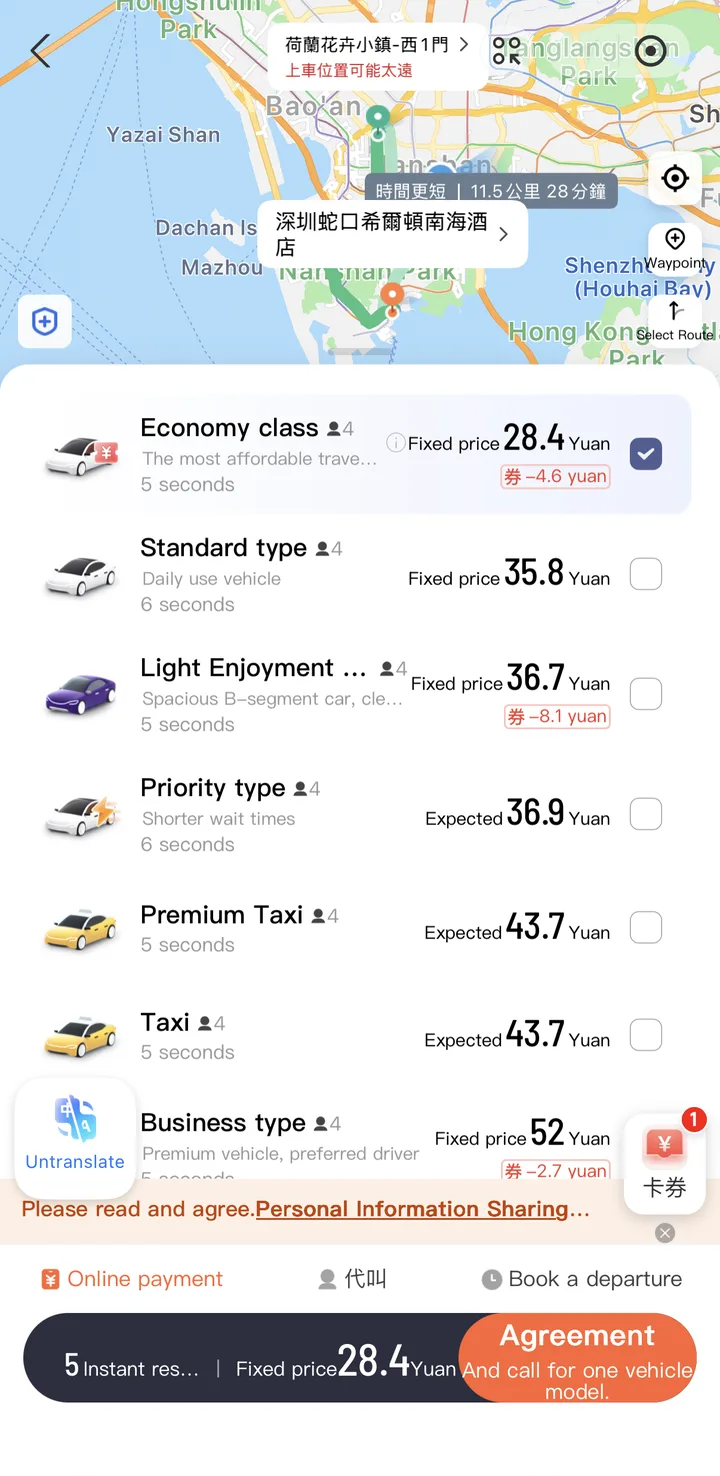
Open Alipay, find the Didi mini-program, paste your hotel's Chinese name from your saved screenshot or notes, and a car comes to you. The app handles the route — you don't have to explain anything to the driver.
6. Ask someone
Show the Chinese hotel name on your phone and point at it. Most people can't help in spoken English, but they can read an address and point you to the nearest metro station or landmark. People in their 20s and 30s are your best bet — more likely to have some English, and usually happy to help.
Nobody understands me
The language barrier in Shenzhen is real. Outside international hotels and some Shekou restaurants, very few people speak conversational English. Here is how to get through it.
1. Google Translate (with VPN)
Camera mode is the useful part: point your phone at a menu or sign and the Chinese translates live on screen. Voice mode handles back-and-forth conversation. But it only works with your VPN running.
2. Baidu Translate (百度翻译) — no VPN needed
Your emergency fallback for text and voice translation. Download it before you need it. When the VPN is down and you have to communicate, this is the one that saves you.
3. Microsoft Translator — no VPN needed
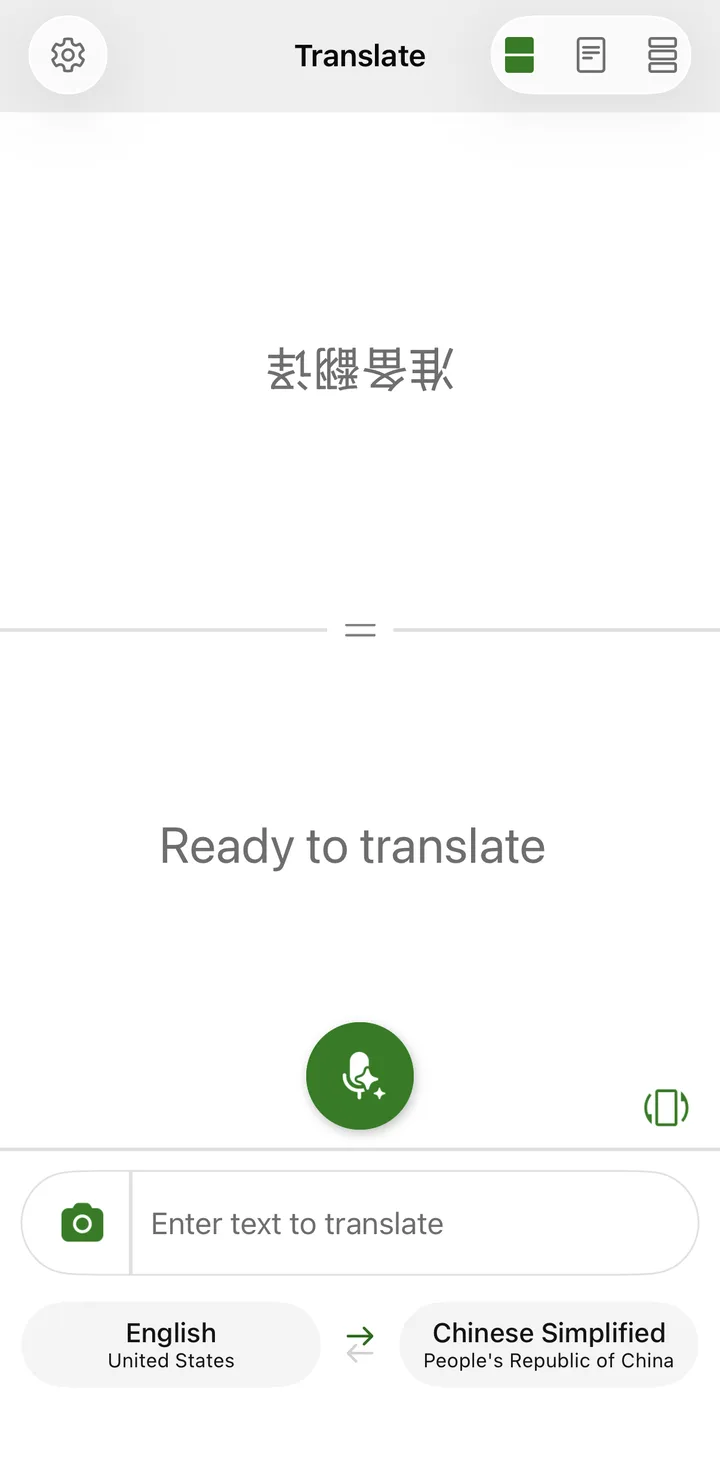
Its split-screen conversation mode puts English on your half of the screen and Chinese on theirs. It works without a VPN and is surprisingly good for real-time back-and-forth. Install it alongside Baidu Translate as a second no-VPN option.
4. Pre-saved phrases
Keep these on your phone — as a screenshot, in your notes app, or on a scrap of paper. You will use at least one of them every day:
| Situation | Chinese | Pronunciation |
|---|---|---|
| I am staying at [hotel] | 我住在 [hotel in Chinese] | Wǒ zhù zài... |
| Please call a taxi | 请帮我叫出租车 | Qǐng bāng wǒ jiào chūzūchē |
| I need help | 我需要帮助 | Wǒ xūyào bāngzhù |
| I don't speak Chinese | 我不会说中文 | Wǒ bù huì shuō zhōngwén |
| How much? | 多少钱? | Duōshǎo qián? |
| Can I use cash? | 可以用现金吗? | Kěyǐ yòng xiànjīn ma? |
5. Call your hotel
Hotel front desks almost always have at least one person with decent English — budget hotels included. Call them and hand your phone to whoever you are trying to talk to. It is the universal cheat code, so use it without shame.
6. Body language
Point at the menu. Hold up fingers for quantities. Nod, shake your head, type numbers on your phone screen. It gets you further than you would expect, especially in restaurants and shops where the transaction is simple.
Lost passport in China: what to do first
This is the one you don't want. If it happens, move fast.
1. File a police report
Go to the nearest police station (派出所). Your hotel front desk can find the closest one and will often send a staff member along to translate. You need the police report number for every step after this.

2. Contact your embassy or consulate
Check your government's official website for the consulate that covers your nationality and location. Ask about replacement documents and the Chinese exit formalities before you book onward travel. What you get, and how fast, depends on your case; an emergency line may not handle routine passport-loss enquiries.
3. Keep digital copies
Before you fly, photograph your passport information page and visa, and email the images to yourself. Keep those copies secure. They help establish your document details, but they don't guarantee faster processing. If you are reading this before your trip, do it now.
4. Your hotel is your lifeline
A good front desk can translate at the police station, call your embassy and walk you through the whole process. This is one situation where a hotel with English-speaking staff pays for itself many times over.
Emergency numbers in Shenzhen
Save these China emergency numbers in your phone now, not when you need them.
| Emergency | Number | Notes |
|---|---|---|
| Police | 110 | Limited English — have your hotel call for you |
| Ambulance | 120 | Limited English |
| Fire | 119 | |
| Immigration hotline | 12367 | National NIA 24/7 multilingual line |
| Tourist / city helpline | 0755-12345 | Some English support |
Getting medical help
In a medical emergency, call 120 and give your exact location. If you can't explain the address, ask someone nearby to help — but don't hold off on the call while you look for them.

For a non-emergency appointment, contact your insurer or the hospital directly to confirm the right department, how to book and what language support there is. Don't assume every department has English-speaking staff.
Quick reference card
Screenshot this table before you need it.
| Problem | First try | Backup |
|---|---|---|
| Payment failed | Turn off VPN, retry | Cash (¥300–500) |
| VPN down | Switch server/protocol | Backup VPN, then Baidu Translate |
| Lost / no maps | Apple Maps | Screenshot hotel address in Chinese |
| Can't communicate | Google Translate (VPN on) | Baidu Translate (no VPN needed) |
| Medical emergency | Call 120 | Ask a nearby person to help explain your location |
| Lost passport | Hotel front desk | Police station → Embassy |
Related guides
Fix the immediate problem, then go back to basics:
- How to pay in Shenzhen — the full Alipay and WeChat Pay setup, if your payment problems come from setup rather than a one-off failure at the till
- Alipay scan fix checker — if the payment is failing right now at the counter, run the quick checker first
- VPN setup guide — if your VPN keeps failing, the problem may be your protocol settings; this guide walks through the configuration
- Arrival checklist — if it is your first day and everything feels broken, start here and go step by step
Questions
What do I do if I lose my passport in Shenzhen?
Go to the nearest police station and file a loss report — you need this document for everything that follows. Then contact your country's consulate in Guangzhou, since most countries do not have a consulate in Shenzhen itself. Carry a photocopy of your passport separately and keep a photo of it on your phone.
What are the emergency numbers in Shenzhen?
Police is 110, ambulance is 120, fire is 119. Give the operator your location and ask someone nearby to help explain it if needed. For a non-emergency appointment, confirm the department and language support directly with the hospital or insurer.
What do I do if Alipay stops working?
First, turn off your VPN — Chinese payment apps block VPN connections. Then check whether the payment is above the ¥200 per-transaction foreign-card fee threshold or hitting an account/card cap. Try restarting the app. If your card was declined, call your bank to authorize China transactions. Carry 300-500 yuan cash as permanent backup.
What if my VPN stops working in Shenzhen?
Switch servers first — try Japan or Singapore instead of Hong Kong. Change your VPN protocol in settings. Try WiFi instead of mobile data or vice versa. If all else fails, switch to your backup VPN. Baidu Translate works without VPN for translation emergencies.
What if I get lost and Google Maps does not work?
Apple Maps works without a VPN in China and has decent Shenzhen coverage. Amap is the local standard for transit directions. If both fail, screenshot your hotel address in Chinese and show it to any taxi driver or passerby.
How do I call an ambulance in China if I do not speak Chinese?
Dial 120 for an ambulance. English is limited, so show your pinned Amap location to a hotel desk, security guard, or nearby local and ask them to call with you. For non-emergency care, ask your insurer or the hospital which department and appointment you need.
Change log and review scheduleExpand
Facts reviewed
Content updated
First published
Next review due
Jul 17, 2026
Image credits
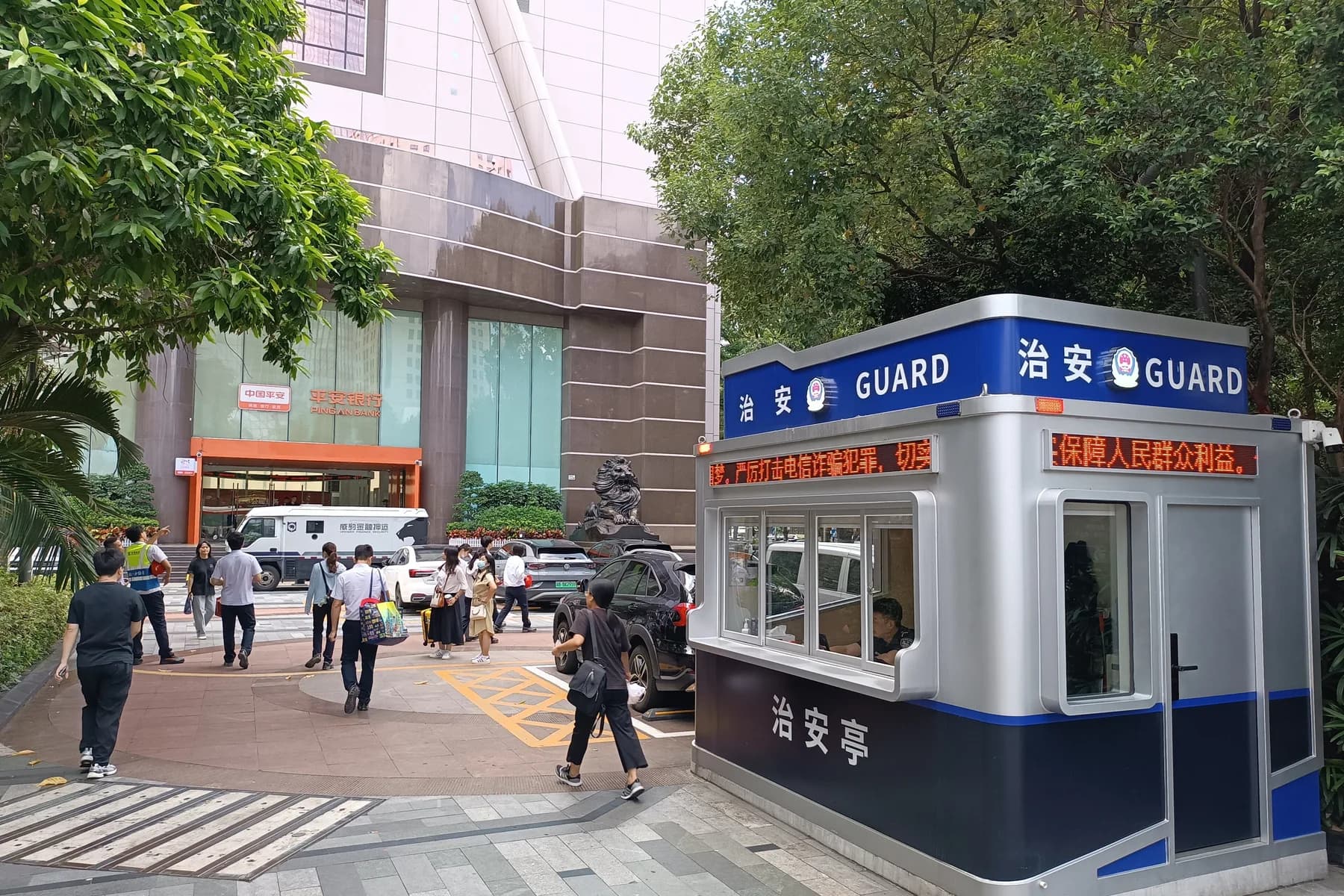
- Shangwu Community Police Office in Bao'an, Shenzhen, under a blue 警察 POLICE sign: HUTSEUM ChamZ, Wikimedia Commons, CC0.
- Shenzhen People's Hospital gate with the red 急诊医学科 Emergency sign above the emergency entrance: Lhzss8, Wikimedia Commons, CC BY-SA 4.0.


Did this actually work for you?